
Unlocking a miter saw may sound simple, but if you’re new to woodworking or power tools, it can feel confusing at first. Each miter saw brand uses a slightly different locking system, and sometimes even experienced users get stuck when facing a new model.
Knowing how to unlock your miter saw properly not only saves you time but also keeps you safe, protects your saw, and helps you achieve accurate cuts. This guide walks you through every step, explains different types of locks, and points out mistakes to avoid.
Whether you have a sliding, compound, or basic miter saw, you’ll find clear explanations and practical advice for unlocking your tool with confidence.
Why Miter Saws Have Locks
Miter saws are powerful machines designed for cutting wood, plastic, and sometimes metal at precise angles. Because of their sharp blades and moving parts, safety locks are essential. These locks prevent the saw from moving or turning on unexpectedly. There are different types of locks:
- Head lock: Keeps the saw arm in the down position for storage and transport.
- Swivel lock: Secures the angle setting for miter cuts.
- Bevel lock: Holds the saw at the desired tilt for bevel cuts.
- Slide lock: On sliding models, stops the saw from sliding forward or backward.
Manufacturers add these locks to help users work safely and carry the saw without damage. Unlocking them is the first step before you start any project.
Basic Miter Saw Parts You Need To Identify
Before you can unlock your miter saw, you need to know what each part does. Understanding these will make each unlocking step clearer.
- Saw arm: The main handle and blade assembly that you move up and down.
- Base: The flat bottom part that sits on your workbench.
- Miter table: The rotating part that lets you set angles left or right.
- Fence: The back support where you rest your workpiece.
- Lock pins and knobs: Controls that keep parts from moving.
Many beginners miss the small lock pin near the saw’s hinge. It’s often black or silver and may be hidden under the handle. Some saws have a visible knob, while others use levers or buttons.
Safety First: Preparing To Unlock
Before touching any miter saw lock, take safety seriously. Accidents can happen if you rush or skip steps.
- Unplug the saw: Always disconnect the power cord, or remove the battery if cordless. This prevents the saw from starting accidentally.
- Wear safety gear: Use safety glasses and gloves, even if you’re not cutting yet.
- Check your workspace: Make sure your table is stable, dry, and clear of clutter.
- Read your manual: Every miter saw is different. If you have the instruction manual, review the unlocking section for your model.
Some users skip these steps and regret it later. For example, unlocking the saw with power connected can lead to sudden blade movement—especially with worn switches or faulty wiring.
Unlocking The Head (arm Lock)
The most common lock is the head lock, which keeps the saw’s arm pressed down. Here’s how to unlock it safely:
- Locate the lock pin: Look near the pivot point, just above where the saw arm meets the base. It’s usually a small pin, knob, or button.
- Press down slightly on the arm: Apply gentle pressure to relieve tension.
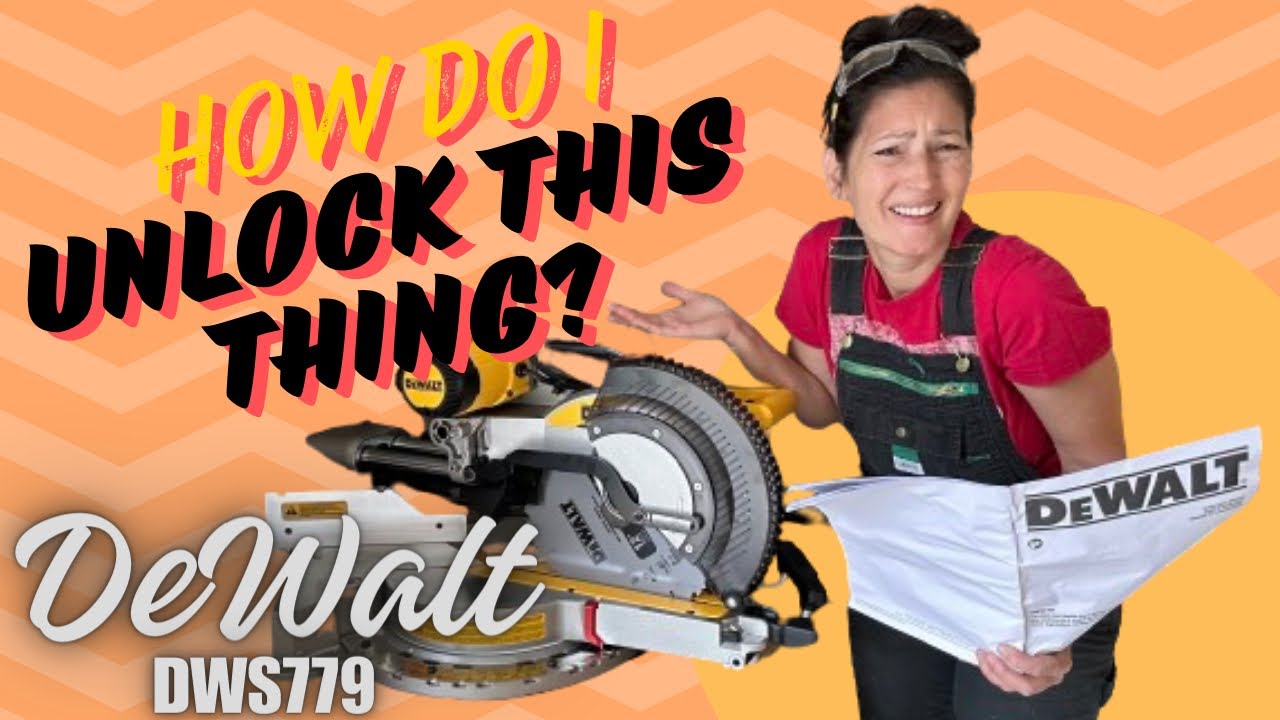
- Pull out or twist the pin: Most pins pull straight out, but some require a twist. On some DeWalt or Makita models, you may need to rotate the pin counterclockwise.
- Slowly release the arm: Let the arm rise gently. Don’t let it snap up, as this can damage the spring or blade guard.
Example: On a Bosch miter saw, the head lock is a silver pin you pull out. For a Ryobi, it’s a black knob you twist. Always check for dust or sawdust blocking the pin—sometimes it’s hard to see.
Common mistake: Forcing the pin without pressing down the arm can bend or break the lock.
Unlocking The Swivel (miter) Lock
To cut at different angles, you need to unlock the miter swivel. This lets you rotate the table left or right.
- Find the miter lock handle/knob: It’s usually at the front or side of the saw, below the table.
- Unlock by lifting or twisting: Some handles lift up, others twist or pull.
- Rotate the table: Move the table to your chosen angle.
- Lock it again: Push the handle down or twist back to lock in place.
Pro tip: On some saws, you need to press a small button to pass certain “positive stops” like 0°, 45°, or 90°. If you force the table without pressing the button, you can damage the locking teeth.
Non-obvious insight: Dust often collects under the miter table, making rotation difficult. Cleaning out sawdust with a brush helps the lock work smoothly.
Unlocking The Bevel Lock
If your miter saw can tilt (bevel), you’ll have a bevel lock on the back or side.
- Locate the bevel lock lever or knob: Look behind the saw arm, often to the left or right.
- Loosen the lock: Turn the knob counterclockwise or flip the lever.
- Tilt the saw: Move the arm to the desired angle (usually up to 45°).
- Tighten the lock: Secure the angle by turning the knob clockwise or flipping the lever back.
Example: On a Hitachi miter saw, the bevel lock is a large plastic knob at the rear. On a Metabo, it’s a lever you pull out.
Mistake to avoid: Forgetting to re-tighten the bevel lock causes the saw to tilt unexpectedly during a cut.
Unlocking The Slide Lock (for Sliding Miter Saws)
Sliding miter saws have a slide lock that controls the forward and backward movement of the arm.
- Locate the slide lock knob: It’s usually on the side or top of the slide rails.
- Loosen the knob: Turn counterclockwise to unlock.
- Test the slide: Gently push the arm forward and back.
- Lock after positioning: Always re-lock the slide when carrying or storing the saw.
Example: A Ridgid sliding miter saw has a bright orange knob for the slide lock. Sometimes it’s tight from the factory—don’t force it, just use steady pressure.
Non-obvious insight: The slide rails need to be clean and lubricated. Dirt or rust can make the lock feel stuck, even if it’s open.
Special Features: Blade Guards And Safety Switches
Most modern miter saws have extra safety features that must be unlocked or moved before use.
- Blade guard: This plastic cover lifts automatically when you lower the arm. Don’t try to force it open by hand.
- Trigger safety: Many saws require you to press a button before the trigger works. This doesn’t affect unlocking the arm, but you’ll need it to start the saw.
If your saw won’t unlock, check for a hidden safety switch. Some brands add extra locks for shipping or transport.
Unlocking Different Brands: What’s Unique
Not all miter saws unlock the same way. Here’s a comparison of popular brands and their lock types:
| Brand | Head Lock Type | Miter Lock Type | Bevel Lock Type | Slide Lock Type |
|---|---|---|---|---|
| DeWalt | Twist pin | Twist handle | Rear knob | Side knob |
| Bosch | Pull pin | Lift handle | Rear knob | Top knob |
| Makita | Twist pin | Pull knob | Side lever | Side knob |
| Ryobi | Twist knob | Twist handle | Rear lever | Side knob |
| Hitachi/Metabo | Pull pin | Twist knob | Rear knob | Top knob |
If you switch brands, always check the manual or look for labels near the locks.
Troubleshooting: When Your Miter Saw Won’t Unlock
Sometimes, you follow all the steps, but your miter saw stays locked. Here’s what to check:
- Look for extra shipping locks: New saws sometimes have extra bolts or plastic clips for transport.
- Check for debris: Sawdust or wood chips can jam the pins or knobs.
- Apply gentle pressure: Sometimes, the spring inside is stiff. Press down on the arm as you try to unlock.
- Lubricate moving parts: A little machine oil can help stuck locks.
- Inspect for damage: Bent pins or broken knobs may need repair or replacement.
- Consult the manual: Search for your model online if you lost the paper manual.
- Ask for help: Don’t force anything—stuck parts can break easily. Ask a more experienced user or visit a tool repair shop.
Example: If your DeWalt saw’s arm won’t unlock, check for a locking screw on the side. Some models have a second lock for safety.
Tip: Don’t use WD-40 on plastic parts—it can cause some plastics to crack.
How To Relock The Miter Saw
Relocking is just as important as unlocking, especially for transport or storage.
- Head lock: Press the arm down and push or twist the pin back in.
- Miter lock: Turn or push the handle to the locked position.
- Bevel lock: Tighten the knob or lever after setting back to 0°.
- Slide lock: Secure the slide rails by tightening the knob.
Always relock your saw before carrying. If you skip this, the arm can swing open, risking injury or damage.
Safety Risks Of Not Unlocking Properly
Unlocking a miter saw incorrectly can lead to:
- Blade damage: Letting the arm snap up can bend the blade.
- Personal injury: Sudden movement may pinch fingers or hit hands.
- Poor cuts: If the miter or bevel locks aren’t secure, your cuts won’t be accurate.
- Tool damage: Forcing stuck parts can break internal springs or pins.
Statistic: According to the U.S. Consumer Product Safety Commission, over 30,000 people are treated for miter saw injuries each year—many due to improper setup or unlocking.
Unlocking Cordless Vs. Corded Miter Saws
Cordless miter saws are becoming more popular. The unlocking steps are mostly the same, but keep these points in mind:
- Remove the battery before unlocking—never rely only on the trigger.
- Cordless models are often lighter, so the arm may spring up faster. Hold it firmly as you unlock.
- Some battery saws have electronic locks. If it doesn’t unlock, check for a safety light or error code.
Otherwise, follow the same steps as corded saws.
When To Keep The Saw Locked
It’s best to keep your miter saw locked in these situations:
- Transport: Always lock all moving parts when carrying the saw.
- Storage: Keeps the arm and table safe from bumps.
- Children or pets nearby: Locks prevent accidental movement.
- Changing blades: Keeps the arm secure while you work.
Unlock only when you’re ready to start cutting.
Practical Tips For Smooth Unlocking
- Clean regularly: Dust and resin buildup can jam locks.
- Lubricate moving parts: Use light oil once every few months.
- Label your locks: If you lend your saw, add color-coded tape to locks for easy use.
- Practice unlocking with power off: Get comfortable with the locks before actual cutting.
- Replace worn parts: If a knob or pin feels loose, replace it. Don’t wait for a break.
A well-maintained miter saw unlocks smoothly and lasts longer.
Unlocking For Different Cuts
Unlocking isn’t just for setup—each type of cut may require different unlocking steps.
- Crosscuts (straight cuts): Unlock the head, keep miter and bevel at 0°.
- Miter cuts (angle cuts): Unlock the miter lock, set your angle, relock.
- Bevel cuts: Unlock the bevel lock, tilt to angle, relock.
- Compound cuts: Unlock both miter and bevel, set angles, and lock both.
Example: For a picture frame, you’ll unlock the miter, set to 45°, and lock again before cutting.
Table: Quick Reference Guide To Unlocking Miter Saws
Here’s a summary for quick checks:
| Lock Type | Where to Find | How to Unlock | Common Issues |
|---|---|---|---|
| Head lock | Near hinge/arm | Pull or twist pin | Stuck pin, dust, stiff spring |
| Miter lock | Front of table | Lift/twist handle | Jammed by debris |
| Bevel lock | Rear or side | Loosen knob/lever | Forgetting to relock |
| Slide lock | Side/top of rails | Loosen knob | Rusty or dirty rails |
Refer to this guide whenever you switch saws or train someone new.
How To Unlock A Stuck Miter Saw
If none of the regular steps work, follow these advanced troubleshooting tips:
- Spray compressed air around the lock area to clear hidden dust.
- Tap gently with a rubber mallet (not metal) to loosen stuck pins.
- Apply penetrating oil like 3-in-1 to metal parts, but avoid plastics.
- Let it sit for 10 minutes after oiling, then try again.
- Check for hidden bolts or screws. Some saws lock tight for shipping.
- Consult the manufacturer’s website for diagrams or service advice.
If the saw still won’t unlock, it’s safer to get professional help.

Real-world Example: Unlocking A Used Miter Saw
Let’s say you buy a used miter saw at a garage sale. The locks are stiff, and there’s no manual. Here’s how to proceed:
- Examine all locking points for rust or missing parts.
- Use a flashlight to spot the lock pin and knobs.
- Clean off any caked sawdust with a brush and vacuum.
- Spray a little oil on the head pin and let it soak.
- Try unlocking gently—never force a stuck part.
- Test all movements (arm, table, bevel, slide) before plugging in.
Many second-hand saws just need cleaning and light lubrication to work like new. If you’re unsure, search the saw’s model online for a PDF manual.
Keeping Your Miter Saw In Top Condition
Unlocking is only part of miter saw care. To keep your saw working smoothly:
- Store in a dry place: Moisture causes rust, which jams locks.
- Clean after each use: Brush off sawdust from moving parts.
- Check locks monthly: Make sure pins and knobs work easily.
- Replace damaged locks: Don’t use makeshift fixes—order real parts.
A well-maintained saw unlocks easily and gives better, safer cuts.

When To Ask For Professional Help
If you’ve tried all troubleshooting steps and the saw still won’t unlock, don’t risk injury or tool damage. Tool repair shops can:
- Replace bent or broken pins
- Clean and lubricate internal parts
- Adjust springs or safety features
Some repairs need special tools or knowledge. It’s better to pay for help than break a valuable saw.
Why Unlocking Matters For Accuracy
A locked or partially unlocked miter saw can cause:
- Crooked cuts: If the miter or bevel isn’t fully unlocked and relocked, your angles will be off.
- Blade binding: The blade may pinch or stall if the arm isn’t moving freely.
- Chipped wood: Forced movement can damage your workpiece.
Always unlock, adjust, and relock before every cut for best results.
Resources For Learning More
If you want to see unlocking in action, search for your saw’s brand and model on YouTube—many manufacturers post official guides. You can also read more at the Wikipedia miter saw page for a deeper look at types and features.
Frequently Asked Questions
How Do I Know Which Lock To Unlock First On My Miter Saw?
Start with the head lock to release the arm. Next, unlock the miter or bevel locks depending on the cut you want. Always unlock only what you need—this keeps other parts stable and safe.
What Should I Do If My Miter Saw’s Arm Won’t Lift After Unlocking?
Check for extra shipping locks, dust, or rust near the hinge. Press down slightly on the arm and try again. If it still won’t move, apply a little oil and let it sit, or consult a professional.
Can I Unlock My Miter Saw While It’s Plugged In?
No. Always unplug the saw or remove the battery before unlocking. This prevents accidental starts, which can cause serious injury.
Why Does My Miter Saw Lock Feel So Stiff?
Stiff locks are often caused by dust, lack of lubrication, or rust. Clean the area, oil the moving parts, and check for bent pins or broken springs. Over time, all saws need a little maintenance.
Is There A Universal Way To Unlock All Miter Saws?
No, but the basic principles are similar: locate the lock, apply gentle pressure, and unlock with the pin, knob, or handle. Always check your model’s manual or look for guides online for specific instructions.
Unlocking a miter saw is a skill that quickly becomes second nature. With practice and regular maintenance, you’ll avoid mistakes, stay safe, and get the best results from your saw every time.