
Using a jigsaw can open up a world of possibilities for woodworking and DIY projects. Whether you want to cut shapes in wood, create smooth curves, or even work with materials like metal or plastic, a jigsaw is one of the most versatile power tools you can own.
But for many beginners, the jigsaw can feel intimidating. With so many blade types, settings, and safety rules, it’s easy to make mistakes or feel overwhelmed. This guide walks you through everything you need to know to use a jigsaw confidently and safely, from understanding the tool itself to mastering advanced techniques.
You’ll also find non-obvious tips, real examples, and clear answers to common questions.
What Is A Jigsaw And How Does It Work?
A jigsaw is a handheld power tool designed to make straight and curved cuts in a variety of materials. It uses a thin, straight blade that moves up and down at high speed. The tool’s base, called the shoe, rests on your workpiece and helps guide the cut.
Jigsaws are popular because they can cut:
- Curves and complex shapes
- Bevels (angled edges)
- Plunge cuts (starting in the middle of the material)
- Straight lines (with a guide)
The motor moves the blade in a rapid reciprocating (up and down) motion. You control the speed, usually with a trigger or dial. Modern jigsaws can cut wood, metal, plastic, laminate, and even ceramic tiles, depending on the blade you use.
Key Parts Of A Jigsaw
Understanding the main parts helps you operate the tool safely:
- Handle: Where you grip and control the jigsaw.
- Trigger switch: Starts and stops the blade.
- Speed control: Adjusts how fast the blade moves.
- Blade clamp: Where you insert and lock the blade.
- Shoe (base plate): Rests on your material for stability.
- Orbital action switch: Changes the blade’s movement for faster or smoother cuts.
- Bevel adjustment: Lets you tilt the shoe for angled cuts.
Choosing The Right Jigsaw For Your Needs
Not all jigsaws are the same. Choosing the right one depends on your projects, budget, and skill level.
Types Of Jigsaws
There are two main types:
- Corded jigsaws: Plug into an outlet, offer steady power, and are usually lighter.
- Cordless jigsaws: Run on batteries, great for mobility, but can be heavier and need recharging.
Key Features To Consider
When selecting a jigsaw, pay attention to these features:
- Power: Measured in amps (corded) or volts (cordless). For most home projects, 5-7 amps or 18V is enough.
- Orbital action: This lets the blade move in a small circle, making rough cuts faster. Not all jigsaws have this feature.
- Variable speed: Allows you to slow down for delicate materials or speed up for rough cuts.
- Tool-less blade change: Lets you swap blades quickly without extra tools.
- Dust blower: Clears sawdust from your line of sight.
- Ergonomics: A comfortable grip reduces fatigue during long projects.
Example Comparison: Corded Vs. Cordless
Here’s a quick look at key differences.
| Feature | Corded Jigsaw | Cordless Jigsaw |
|---|---|---|
| Power Supply | Electric outlet | Battery |
| Weight | Lighter | Heavier (battery adds weight) |
| Run Time | Unlimited | Limited by battery |
| Price | Usually cheaper | Usually more expensive |
| Best For | Workshops, long sessions | On-site, outdoor, mobile work |
Non-obvious tip: If you do mostly small jobs, a cordless jigsaw can be more convenient, but always keep a spare battery charged.
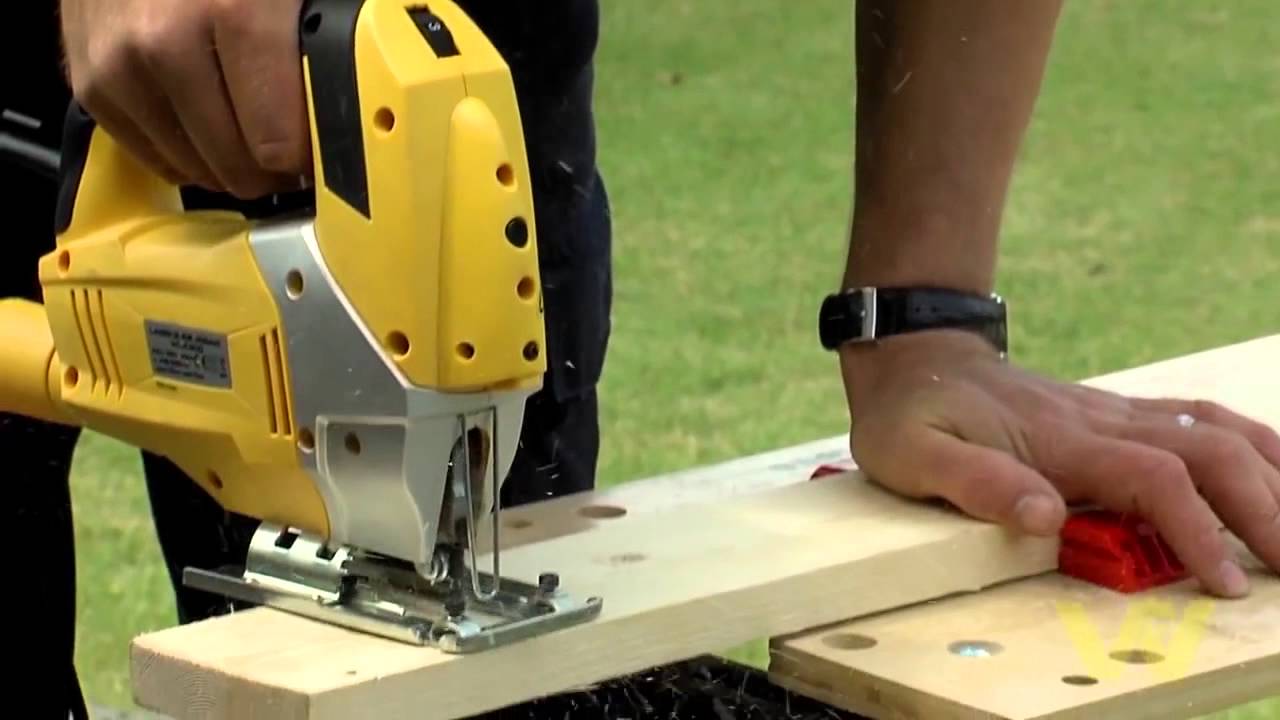
Selecting The Right Blade For Each Material
Your jigsaw’s performance depends as much on the blade as the tool itself. Using the wrong blade can cause rough cuts, burning, or even breakage.
Blade Types By Material
- Wood blades: Larger teeth (TPI, teeth per inch), cut faster but rougher.
- Metal blades: Small, fine teeth, higher TPI for slow, smooth cuts.
- Plastic blades: Medium TPI, designed to avoid melting.
- Ceramic/Tile blades: Abrasive edge (no teeth), for very hard materials.
- Laminate blades: Special reverse-tooth design to prevent chipping.
Blade Shank Types
Jigsaw blades come in two main shank styles:
- T-shank: Most common today. Easier to change, fits most modern jigsaws.
- U-shank: Older style, less common, requires a tool for blade changes.
Choosing The Right Tpi
TPI stands for teeth per inch. Here’s a guide:
- 6-10 TPI: Fast, rough cuts in wood
- 10-20 TPI: Smoother wood or plastic
- 20+ TPI: Metal, thin materials, fine cuts
Non-obvious tip: Always let the blade do the work. Forcing the jigsaw can cause the blade to bend or break, especially with thin or fine-tooth blades.
Example Table: Blade Choices For Common Materials
| Material | Recommended Blade | Typical TPI |
|---|---|---|
| Soft wood | Coarse wood blade | 6-10 |
| Plywood | Fine wood blade | 10-20 |
| Metal | Bi-metal blade | 20-24 |
| Plastic | Plastic blade | 10-14 |
| Laminate | Reverse-tooth blade | 10-12 |
| Tile/Ceramic | Tungsten carbide blade | N/A (abrasive) |
Preparing To Use A Jigsaw: Safety And Setup
Before starting any cutting, preparation is essential for safety and accuracy.
Safety Gear
Always wear:
- Safety glasses to protect your eyes from flying debris
- Hearing protection if cutting for long periods
- Dust mask for materials that create fine dust, like MDF
- Gloves (optional) for handling blades, but not during cutting
Pro insight: Never wear loose clothing or jewelry when using a jigsaw. Long hair should be tied back.
Work Area
Set up a clean, well-lit workspace. Secure your material using clamps. This prevents slipping and helps you cut accurately.
Common mistake: Cutting unsupported material. This causes vibration and can damage both your work and your blade.
Marking Your Cut
Use a pencil or fine marker to draw the cut line. For curves, a flexible ruler or template helps. For straight cuts, use a ruler or a straight edge.
How To Install And Remove A Jigsaw Blade
Proper blade installation is key for safety and performance.
- Unplug the jigsaw or remove the battery before changing blades.
- Find the blade release lever (for T-shank) or use a screwdriver for older models.
- Insert the blade with teeth facing forward, towards the front of the tool.
- Make sure the blade is fully seated and locked.
- Gently pull on the blade to confirm it’s secure.
- Reattach the power source.
Non-obvious tip: Blades can get very hot after use. Let them cool before removing.
Setting Up For Your First Cut
Correct setup ensures a clean, accurate result.
- Choose the right blade for your material and cut type.
- Adjust the shoe if you need a bevel cut (angled cut).
- Set the orbital action: Off for fine or metal cuts, higher for fast wood cuts.
- Adjust the speed: Slow for metal or delicate materials, faster for wood.
- Check that the blade is perpendicular to the shoe (unless making a bevel cut).
Pro tip: Many jigsaws have a dust blower. Turn it on to keep the cut line visible.
Making Straight Cuts
Jigsaws can make straight cuts, but they are not as precise as a circular saw. For best results:
Using A Guide
Clamp a straight edge (like a metal ruler or a level) parallel to your cut line. Run the side of the jigsaw’s shoe along the guide.
- Mark your cut line.
- Position and clamp the straight edge.
- Place the jigsaw at the start of the line, blade just touching the material.
- Start the saw before touching the blade to the material.
- Guide the jigsaw forward, keeping steady pressure against the guide.
Non-obvious insight: Let the jigsaw reach full speed before you start moving into the cut. This reduces chipping and helps the tool track straight.
Common Mistakes
- Forcing the tool too fast can cause the blade to wander.
- Not supporting both sides of the cut piece can lead to breakage at the end.
Cutting Curves And Complex Shapes
This is where jigsaws shine.
- Draw your curve or pattern clearly.
- Use a narrow, fine-tooth blade for tight curves.
- Cut slowly, turning the tool gently.
- For sharp corners, make a series of small forward cuts, then turn the saw.
- For very tight spots, drill a hole and make a plunge cut (see next section).
Pro insight: Never try to force the blade around a sharp corner. Instead, cut close to the line and sand to final shape.
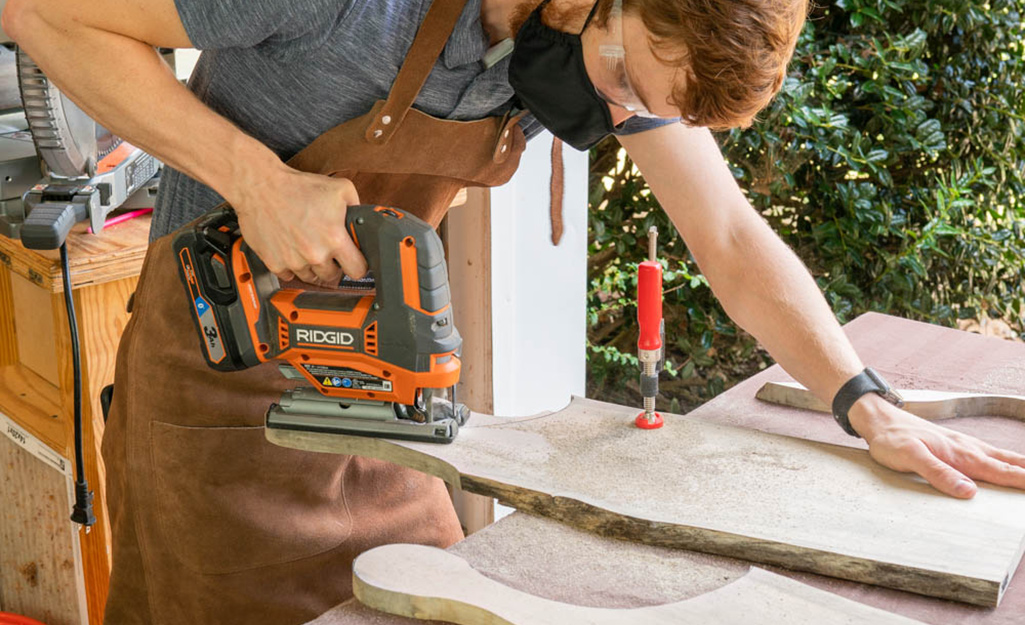
Making Plunge Cuts
Plunge cuts allow you to start cutting in the middle of a material, useful for making holes for sinks, vents, or electrical outlets.
How To Plunge Cut
- Mark the area to cut.
- Drill a starter hole large enough for the jigsaw blade.
- Insert the blade into the hole, start the tool, and carefully follow your line.
Some jigsaws allow you to start a plunge cut without a hole by tilting the tool forward and lowering the moving blade into the material. This requires practice and is best on soft wood.
Warning: Never plunge into metal or hard materials without a starter hole.
Bevel And Angle Cuts
Jigsaws can cut at angles, usually up to 45 degrees.
- Loosen the bevel adjustment on the shoe.
- Tilt the shoe to the desired angle (check the scale).
- Tighten the shoe firmly.
- Cut as usual, following your line.
Non-obvious tip: Bevel cuts are slower and harder to control. Practice on scrap material before working on your main project.
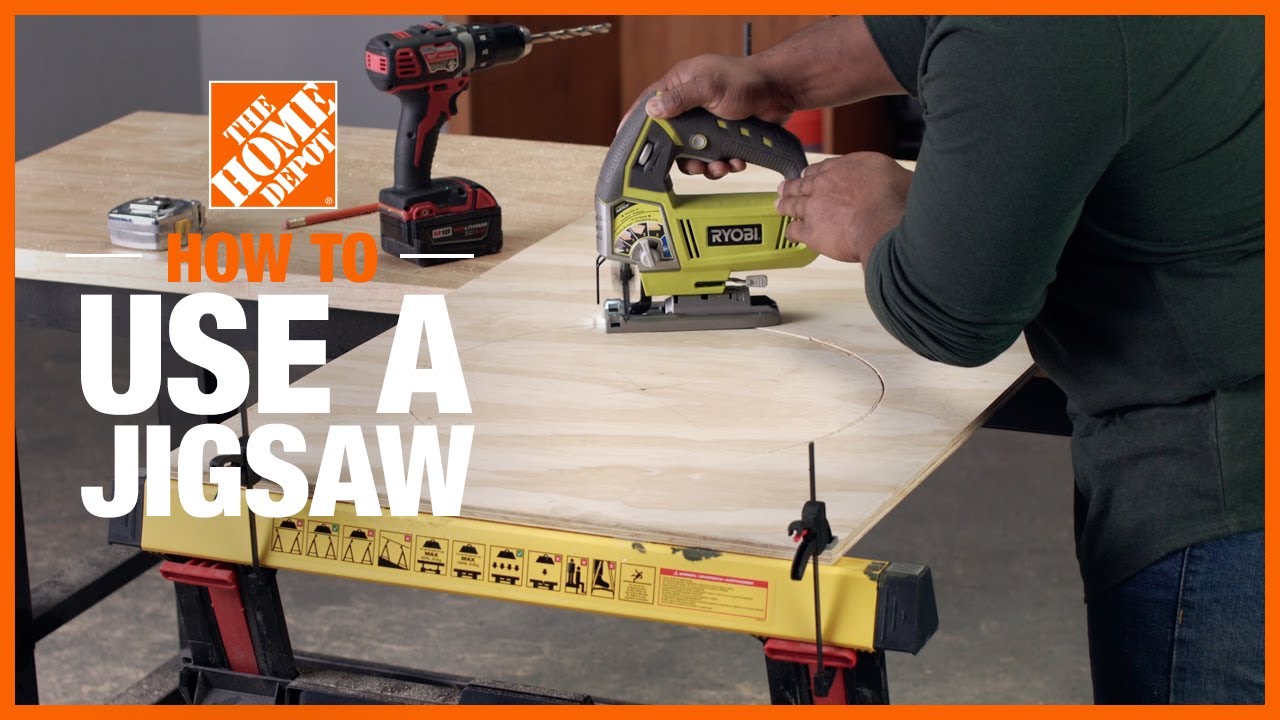
Cutting Different Materials
Jigsaws can handle a variety of materials if you use the right blade and settings.
Wood
Set the orbital action higher for soft woods and lower for harder woods. Use a fast speed and coarse blade for rough cuts; a fine blade and slow speed for finish work.
Metal
Use a fine-tooth blade (20+ TPI). Turn off orbital action. Go slow to avoid overheating. Lubricate the cut with a little oil.
Plastic
Use a medium TPI blade, moderate speed, and avoid going too fast to prevent melting.
Laminate
Use a reverse-tooth blade to avoid chipping. Cut with the finished side facing down.
Ceramic Tile
Use a special abrasive blade. Go very slow, and keep the area wet to reduce dust and blade wear.
Non-obvious insight: For very thin materials, sandwich your workpiece between two pieces of scrap wood to prevent vibration and tearing.
Advanced Jigsaw Techniques
Once you’re comfortable, try these more advanced uses.
Inside Cutouts
For shapes or holes inside a piece, drill a starter hole, insert the blade, and cut out the shape.
Stack Cutting
You can cut multiple thin pieces at once by stacking and taping them together. This is useful for making identical shapes.
Coping Joints
Jigsaws are great for coping moldings. Cut along the profile, then sand for a perfect fit.
Scribing
Use a jigsaw to follow a marked scribe line for fitting countertops or panels against uneven walls.
Maintenance And Blade Care
A well-maintained jigsaw lasts longer and cuts better.
- Clean your jigsaw after each use, removing dust and debris.
- Check the blade for dullness or damage—replace if necessary.
- Lubricate moving parts (check your manual for details).
- Inspect the cord or battery for wear.
Pro tip: Always store blades in a dry place to avoid rust.
Troubleshooting Common Jigsaw Problems
Even with careful use, problems can occur. Here’s how to fix common issues.
Blade Keeps Bending Or Breaking
- Use the right blade for your material.
- Don’t force the tool—let it cut at its own pace.
- Replace worn blades before they break.
Rough Or Splintered Cuts
- Use a finer blade or reverse-tooth blade.
- Place masking tape over the cut line.
- Cut with the finished side facing down (except with reverse-tooth blades).
Blade Keeps Jumping Out
- Check if the blade is installed correctly and fully seated.
- Use the correct shank type for your jigsaw.
Motor Overheats
- Allow the tool to rest between long cuts.
- Use lower speeds for hard materials.
- Make sure the vents are not blocked by dust.
Real-world Example: Cutting A Kitchen Sink Opening
Suppose you need to cut a hole in a countertop for a kitchen sink—a common DIY project.
- Mark the sink’s outline on the countertop, using the template provided.
- Drill a 10mm starter hole at each corner, just inside the line.
- Insert a laminate or fine-tooth blade into a corner hole.
- Cut slowly along the line, turning at the corners.
- Support the cutout piece as you finish, so it doesn’t fall and tear the edge.
Pro insight: Always double-check your measurements. Cutting too large cannot be undone.
Jigsaw Safety Tips
- Always unplug or remove the battery when changing blades.
- Keep hands away from the cutting area.
- Wait for the blade to stop moving before setting the tool down.
- Use clamps to secure your work.
- Never cut materials the tool is not rated for.
Remember: Safety first. Read your jigsaw’s manual for specific instructions.
Comparing Jigsaws With Other Cutting Tools
When Should You Use A Jigsaw Versus Another Saw?
| Tool | Best For | Limitations |
|---|---|---|
| Jigsaw | Curves, inside cuts, small projects | Not as precise for long straight cuts |
| Circular Saw | Straight, long cuts in wood | Cannot cut curves or plunge |
| Scroll Saw | Fine, intricate shapes in thin wood | Not portable, limited thickness |
| Band Saw | Curves in thick wood, resawing | Stationary, not for inside cuts |
Tips For Beginners To Improve Results
- Practice on scrap material before cutting your real workpiece.
- Take your time—rushing leads to mistakes.
- Use guides for straight cuts.
- Change blades often. Dull blades cause poor results.
- Watch the blade, not just the shoe, to stay on your line.
- Clean up edges with sandpaper after cutting.
Non-obvious insight: If your jigsaw has a “soft start” feature, use it. This gives you more control at the beginning of each cut.
Expanding Your Jigsaw Skills
As you get more comfortable, experiment with:
- Cutting circles: Use a simple circle jig attachment.
- Pattern work: Trace templates onto your material.
- Mixed materials: Try wood, plastic, and metal with the right blades.
Check out official resources like Family Handyman for further learning.
Frequently Asked Questions
How Thick Can A Jigsaw Cut?
Most jigsaws can cut wood up to about 2 inches (50mm) thick with the right blade. For metal, the limit is usually 1/4 inch (6mm) or less. Always check your saw’s manual for exact specs.
Why Does My Jigsaw Blade Wander Off The Line?
This usually happens if you push too hard, use a dull blade, or try to cut too tight a curve. Make sure you use the right blade and let the tool do the work. Use a guide for straight lines.
Can I Use A Jigsaw To Cut Metal?
Yes, with a fine-tooth metal blade (20+ TPI) and slow speed. Lubricate the blade with oil and go slowly to avoid overheating. Always wear eye protection.
Is A Jigsaw Safe For Beginners?
A jigsaw is one of the safest power saws for beginners. Always follow safety rules, wear protection, and keep your hands away from the blade. Start with simple cuts and practice before tackling big projects.
What’s The Difference Between Orbital And Straight Action?
Orbital action moves the blade in a small oval, cutting faster but rougher. Use orbital for wood, straight action for metal and fine cuts.
Using a jigsaw opens up countless creative possibilities. With the right blade, setup, and technique, you can handle almost any cutting task at home. Start simple, practice often, and always put safety first. As your skill grows, you’ll find the jigsaw to be one of your most useful and flexible tools in any workshop.