
If you’re starting a woodworking project or a DIY home improvement task, you’ll often hear people talk about two tools: the jigsaw and the router. Both are power tools, and both can cut wood, but they are very different in how they work, what they do best, and when you should use each one. Choosing between a jigsaw and a router can be confusing, especially if you’re new to woodworking. This guide will help you understand the differences, strengths, and weaknesses of each tool. By the end, you’ll know exactly which tool is right for your project, how to use them safely, and some expert tips that even many experienced users miss.
What Is A Jigsaw?
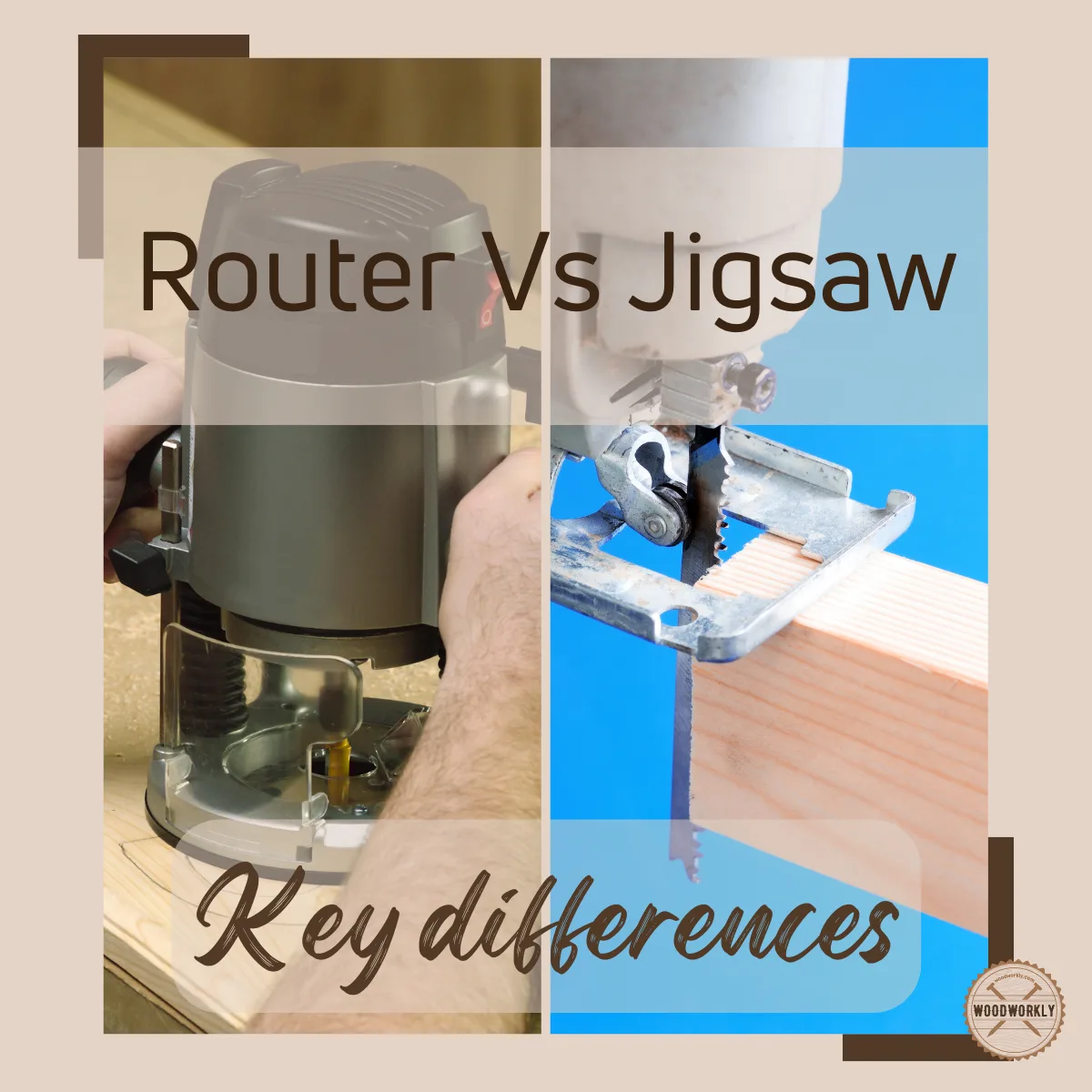
A jigsaw is a handheld power tool with a thin, straight blade that moves up and down. It is designed to cut curves, circles, and straight lines in wood, plastic, and even metal. Jigsaws are known for their flexibility. You can use them to cut inside shapes (like a hole in the middle of a board), odd angles, or even delicate patterns. Most jigsaws have a variable speed trigger, a footplate that rests on your material, and a handle for control.
Jigsaws are popular because they are:
- Easy to control for beginners
- Good for freehand cutting
- Excellent for cutting curves and shapes
However, they are not perfect for every job. Jigsaws can leave rougher edges than some other saws, especially if you cut too fast or use the wrong blade. They also struggle with very thick or hard materials.
What Is A Router?
A router is another handheld power tool, but it works in a completely different way. Instead of a blade, a router uses a spinning bit (like a drill bit, but with a cutting edge) to carve, shape, and hollow out wood. Routers are used for making grooves, slots, decorative edges, and even cutting joinery for furniture. They can cut straight lines, round corners, and create complex shapes—but usually with the help of guides or templates.
Routers are especially good for:
- Shaping edges (like making a fancy border on a tabletop)
- Cutting grooves and slots
- Creating precise joinery (like dadoes and rabbets)
Routers work fast and can make very clean cuts. However, they are not ideal for freehand curves or internal cutouts unless you have a template. They also require more setup and practice to use safely.
Key Differences Between Jigsaw And Router
Understanding the real differences helps you pick the right tool for your job. Let’s break down the main distinctions.
| Feature | Jigsaw | Router |
|---|---|---|
| Cutting Action | Up-and-down blade movement | Spinning cutting bit |
| Best For | Curves, shapes, inside cutouts | Edges, grooves, precision joinery |
| Cut Quality | Rougher, may need sanding | Smoother, clean edges |
| Ease of Use | Beginner-friendly | Requires more skill |
| Material Thickness | Up to 2 inches (typical) | Usually less than 1 inch |
Cutting Motion
A jigsaw moves its blade up and down, cutting as you push the tool forward. You can follow lines and curves by steering the tool with your hand. This makes it perfect for creative shapes and irregular cuts.
A router spins a bit at high speed, cutting away wood as you push it along an edge or across a surface. The router is best for following straight lines, edges, or guided shapes.
Precision
Jigsaws are less precise if you want perfectly straight lines or uniform edges. Routers can create very precise, smooth cuts, especially with guides.
Types Of Cuts
- Jigsaw: Inside cutouts, circles, curves, and rough shapes.
- Router: Edges, dadoes, grooves, decorative profiles, and joinery.
Example
If you want to cut a heart shape from the middle of a board, use a jigsaw. If you want a rounded edge on a table or a groove for a shelf, choose a router.
Main Uses For A Jigsaw
Jigsaws are common in both home workshops and professional carpentry. Here are some of their main uses:
- Cutting Curves and Complex Shapes: Jigsaws can follow almost any line you draw, making them ideal for creative projects.
- Making Inside Cutouts: Drill a starter hole, insert the jigsaw blade, and cut out shapes from the center of wood or other materials.
- Trimming and Fitting: Need to cut a board to fit around a pipe or wall? The jigsaw’s maneuverability makes it easy.
- Cutting Thin Materials: Jigsaws work well on thin plywood, laminate, plastic, and even metal sheets (with the right blade).
- Bevel Cuts: Most jigsaws allow you to tilt the base for angled cuts, handy for joining boards.
Practical Example
Suppose you’re building a kitchen countertop and need to cut a hole for the sink. The jigsaw is the perfect tool. Drill a hole at each corner of your outline, insert the blade, and follow the lines to cut the opening.
Main Uses For A Router
Routers shine when you want to shape, join, or decorate wood. Here’s what they do best:
- Edge Profiling: Add fancy edges to tables, shelves, or picture frames using special bits.
- Cutting Grooves and Slots: Make straight channels for shelves, drawer bottoms, or inlays.
- Joinery: Create strong, precise joints like dadoes, rabbets, and mortises for furniture making.
- Template or Pattern Work: Use a guide or template to cut identical shapes quickly.
- Sign Making and Lettering: Rout letters or designs for custom signs.
Practical Example
If you want a decorative rounded edge on a coffee table, use a router with a round-over bit. The router will follow the edge and create a smooth, professional look in minutes.
Jigsaw Strengths And Limitations
Strengths
- Versatility: Cuts wood, plastic, metal, and even tile (with the right blade).
- Curved Cuts: Few tools can match a jigsaw for tight curves.
- Easy to Start: Even beginners can use a jigsaw safely.
- Portable: Lightweight and easy to carry.
- Quick Setup: No complicated adjustments.
Limitations
- Rough Edges: Cuts may need sanding or trimming.
- Blade Wander: The blade can flex, making straight lines tricky.
- Limited Depth: Struggles with thick or hard wood.
- Less Power: Not ideal for heavy-duty or fast cuts.
Router Strengths And Limitations
Strengths
- Precision: Excellent for straight lines, grooves, and joinery.
- Smooth Edges: Leaves clean, finished surfaces.
- Decorative Cuts: Can make many edge profiles using different bits.
- Powerful: Removes wood quickly with the right setup.
- Repeatability: Templates and guides allow repeated, identical cuts.
Limitations
- Learning Curve: Requires practice to use safely and accurately.
- Setup Time: Needs careful adjustment of bit depth and guides.
- Limited to Edges or Surface Cuts: Not ideal for cutting out internal shapes without a template.
- Noise and Dust: Routers are loud and create a lot of fine dust.
Choosing The Right Tool For Your Project
When should you use a jigsaw and when is a router better? Here’s a clear guide:
| Project Type | Best Tool | Why |
|---|---|---|
| Cutting a circle in plywood | Jigsaw | Follows curves easily |
| Making a groove for a shelf | Router | Makes straight, precise grooves |
| Decorative edge on a table | Router | Can use special edge bits |
| Cutting a hole for a sink | Jigsaw | Easy to maneuver inside shapes |
| Inlaying a strip of wood | Router | Precise, adjustable depth |
| Cutting out a pattern or stencil | Jigsaw | Follows detailed lines |
Non-obvious Insight 1
Many beginners think a router can cut out any shape, but routers need a template or guide to cut curves accurately. Freehand routing curves is difficult and usually messy.
Non-obvious Insight 2
Jigsaws can start a cut in the middle of a panel (plunge cut), while routers need a starting edge or a plunge base. This makes jigsaws better for inside openings.
Types Of Jigsaws And Routers
Jigsaw Types
- Corded Jigsaw: Connects to power outlet. More powerful, but less portable.
- Cordless Jigsaw: Runs on battery. Easier to carry around, but limited runtime.
- Barrel Grip: Lower handle, better for control in some cuts.
- Top Handle: Traditional, easier for most people to use.
Router Types
- Fixed Base Router: Set the cutting depth and move the tool along the edge.
- Plunge Router: Can lower the bit into the wood while running, good for internal cuts.
- Trim Router: Small, light, good for edge work and laminate.
- CNC Router: Computer-controlled, for high precision and repeat work (mostly professional).
Blades And Bits: The Cutting Edge
The blade or bit you use makes a huge difference in your results.
Jigsaw Blades
- Wood Blades: Large, sharp teeth for fast cuts.
- Metal Blades: Small teeth, made from harder steel.
- Reverse Tooth Blades: Cut on the downstroke, good for laminates.
- Scroll Blades: Very thin, for tight curves.
- Specialty Blades: For tile, plastic, or other materials.
Tip: Always match the blade to your material and cut type.
Router Bits
- Straight Bit: For grooves and dadoes.
- Round-Over Bit: For rounded edges.
- Chamfer Bit: For angled edges.
- Rabbeting Bit: For cutting rabbets (shoulders on the edge).
- Flush Trim Bit: For copying shapes using a guide.
- Specialty Bits: For inlays, sign making, etc.
Tip: Router bits come in many sizes and shapes. Use sharp, quality bits for best results.

Safety Tips For Jigsaws And Routers
Both tools are powerful and can be dangerous if misused. Always follow basic safety rules.
Jigsaw Safety
- Wear eye protection: Flying chips can injure your eyes.
- Clamp your work: Prevents the material from moving.
- Keep hands clear: Never put your hand in front of the blade.
- Let the blade stop: Wait before setting the tool down.
Router Safety
- Wear hearing and eye protection: Routers are loud and make fine dust.
- Secure your work: Routers can “grab” and pull the wood.
- Check bit tightness: Loose bits can fly out at high speed.
- Move the router the correct way: Usually left to right (against the bit rotation).
Non-obvious Insight 3
With routers, always start the motor before touching the wood. Starting the router bit in contact with the work can cause a violent kick.
Non-obvious Insight 4
Jigsaw blades can bend if you force the tool or turn too sharply. Always let the blade do the cutting—don’t push too hard.
Common Beginner Mistakes (and How To Avoid Them)
With Jigsaws
- Using the wrong blade: Leads to rough cuts or broken blades.
- Forcing the cut: Causes the blade to bend, or “wander” off the line.
- Not supporting the work: Can lead to vibrations and poor accuracy.
- Skipping pilot holes: Makes it hard to start internal cuts.
With Routers
- Wrong bit speed: Too fast or too slow will burn the wood or dull the bit.
- Cutting too deep in one pass: Makes the router strain and can ruin the cut.
- Not using a guide: Freehand routing straight lines is nearly impossible.
- Forgetting to check bit tightness: Can cause dangerous accidents.
Tip: Practice on scrap material before cutting your actual workpiece.
Maintenance And Care
Taking care of your tools will help them last longer and work better.
Jigsaw Maintenance
- Change blades often: Dull blades make poor cuts and overheat the motor.
- Clean out dust: Remove sawdust from vents and motor.
- Check footplate: Make sure it’s tight and square to the blade.
Router Maintenance
- Clean collet and bits: Dust can cause bits to get stuck.
- Lubricate plunge posts: Keeps movement smooth.
- Check power cord: Look for wear or damage.
Cost And Value: Which Tool Is The Better Investment?
Jigsaws are generally cheaper than routers. You can buy a good jigsaw for $30–$100, plus extra for blades. Routers range from $60 for a small trim router to $300 or more for a high-end plunge model, plus the cost of bits.
However, the best tool is the one that matches your needs. If you mostly cut shapes or need to make inside cutouts, a jigsaw is better. If you want to build furniture, add fancy edges, or cut grooves, a router is worth the investment.
Tip: Many woodworkers own both tools. Start with the one you’ll use most, then add the other as your skills grow.
When To Use Both Tools Together
For some advanced projects, you’ll use both a jigsaw and a router. For example:
- Cut out a shape with a jigsaw, then smooth the edge with a router and flush-trim bit.
- Use a jigsaw to make a rough opening, then use a router to add a precise groove or decorative detail.
- Make a template with a jigsaw, then use the router to copy the shape perfectly onto other boards.
Real-world Examples
Building A Bookshelf
- Jigsaw: Cut the sides to shape, make notches for shelves.
- Router: Groove slots for shelf boards, round over edges for a smooth feel.
Installing A Kitchen Countertop
- Jigsaw: Cut the opening for a sink.
- Router: Use a laminate trim bit to finish the edge for a perfect fit.
Making A Custom Sign
- Jigsaw: Cut the sign to shape (circle, oval, etc. ).
- Router: Carve out letters or designs with a V-bit.
Which Tool Is Easier For Beginners?
If you’re just starting out, the jigsaw is usually easier to learn. It’s lighter, less powerful, and has fewer setup steps. You can get good results quickly with a little practice. Routers are more powerful and versatile, but require more understanding of speeds, bit types, and safety.
Pro Tip: Start with a jigsaw for general cutting, then move to a router as you gain confidence and want more precise or decorative results.
Environmental And Material Considerations
Jigsaws can cut many materials, including:
- Wood
- Plastic
- Metal
- Laminate
- Ceramic tile (with special blades)
Routers are mostly for wood and wood-based materials (MDF, plywood, etc. ), but with the right bit, can also shape plastic or acrylic.
Tip: Always check the blade or bit is suitable for your material—using the wrong one can damage both the tool and your workpiece.
Latest Trends And Innovations
Tool manufacturers are always improving jigsaws and routers. Here are some new features to look for:
- Brushless motors: Longer life, more power, less maintenance.
- LED lights: Built-in lights for better cut visibility.
- Dust extraction: Attach a vacuum for cleaner, safer work.
- Bluetooth connectivity: Some routers can connect to your phone for speed control or tracking.
- Tool-free blade or bit changes: Faster swaps, less downtime.
For more technical details on how routers and jigsaws work, you can check the Wikipedia router article.
Frequently Asked Questions
How Do I Choose Between A Jigsaw And A Router For My First Tool?
If your main projects involve cutting shapes, curves, or inside openings, start with a jigsaw. If you want to make shelves, furniture, or add decorative edges, choose a router. Think about the projects you want to build most often.
Can A Jigsaw Replace A Router?
No. While both tools cut wood, a jigsaw cannot do what a router does (like grooves, precise joinery, or decorative edges). Similarly, a router cannot cut inside shapes easily. Each tool has its own main jobs.
What Safety Gear Should I Use With These Tools?
Always wear eye protection with both tools. Use hearing protection with routers, as they are loud. Wear a dust mask if working with MDF or making lots of dust. Clamp your work to keep it steady and safe.
How Do I Get Cleaner Cuts With A Jigsaw?
Use a sharp, high-quality blade matched to your material. Don’t force the tool—let the blade do the work. Support your material to prevent vibration, and use a slower speed for delicate cuts.
Is It Worth Owning Both A Jigsaw And A Router?
Yes, if you plan to take on many woodworking projects, each tool will save you time and let you do more. Many woodworkers start with one, then add the other as their skills and needs grow.
A good understanding of both tools will make your projects easier, safer, and more professional. Whether you’re building simple shelves or detailed furniture, knowing when to use a jigsaw and when to use a router is a skill that will serve you for years.